A few days to open your store. Two taps to run every stop.
Download CR Business and tell us about your store: its name, address and hours, and a photo of your business license.
We verify your license and call the number on your Google listing. It usually takes one to two business days.
Pick a plan through the App Store or Google Play. Your store opens the moment the purchase is confirmed, and setup takes about 20 minutes.
Share your QR code or link. Customers join your store in the Clean Racer app and request pickups.
Here is a day in CR Business, from the first request to the last payment.
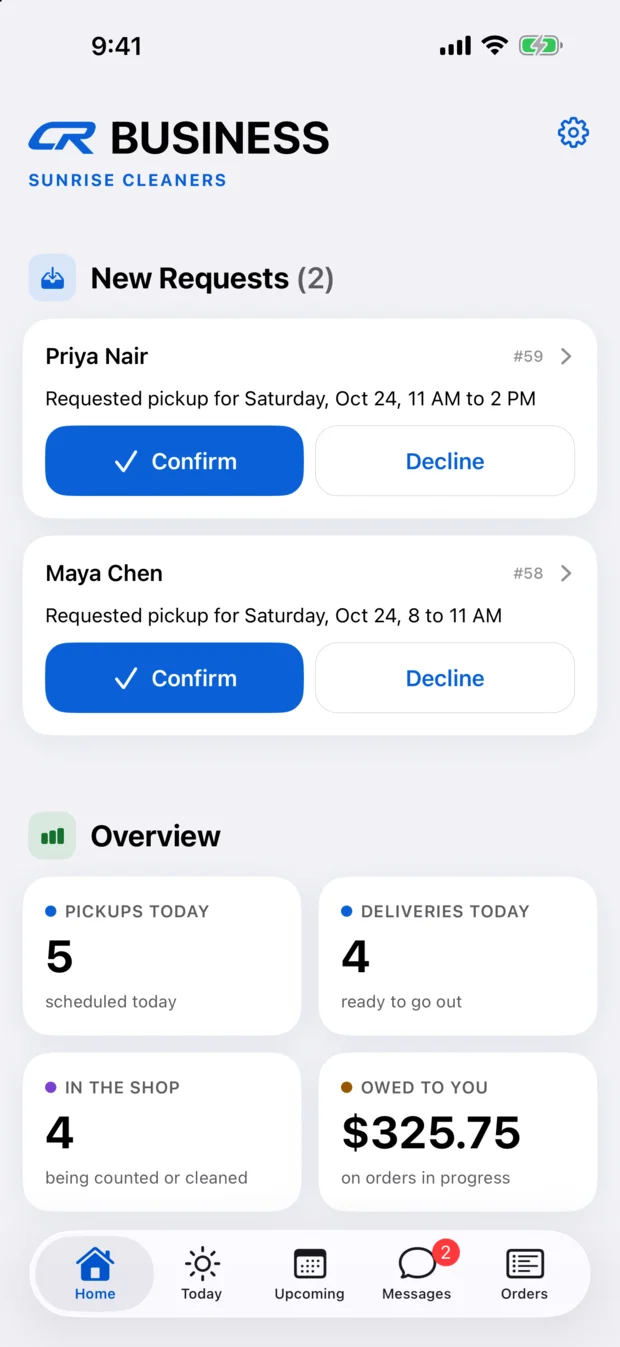
New pickup requests land on your Home screen with the day and time your customer asked for. Tap Confirm, or Decline. Your customer is told either way. Below them, a quick overview: pickups and deliveries today, what's in the shop, and what you're owed.
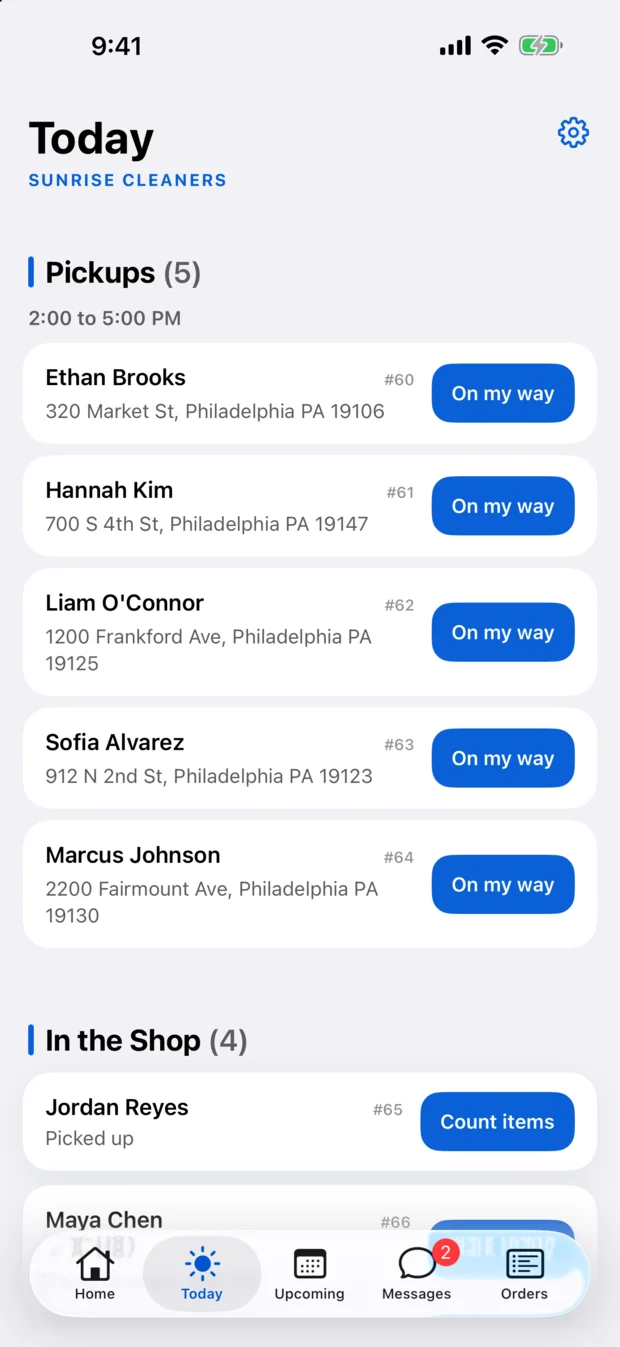
Today lists every pickup and delivery in one place, with the time window beside each. Your whole team sees the same list, so there's nothing to assign. Whoever starts a stop claims it.
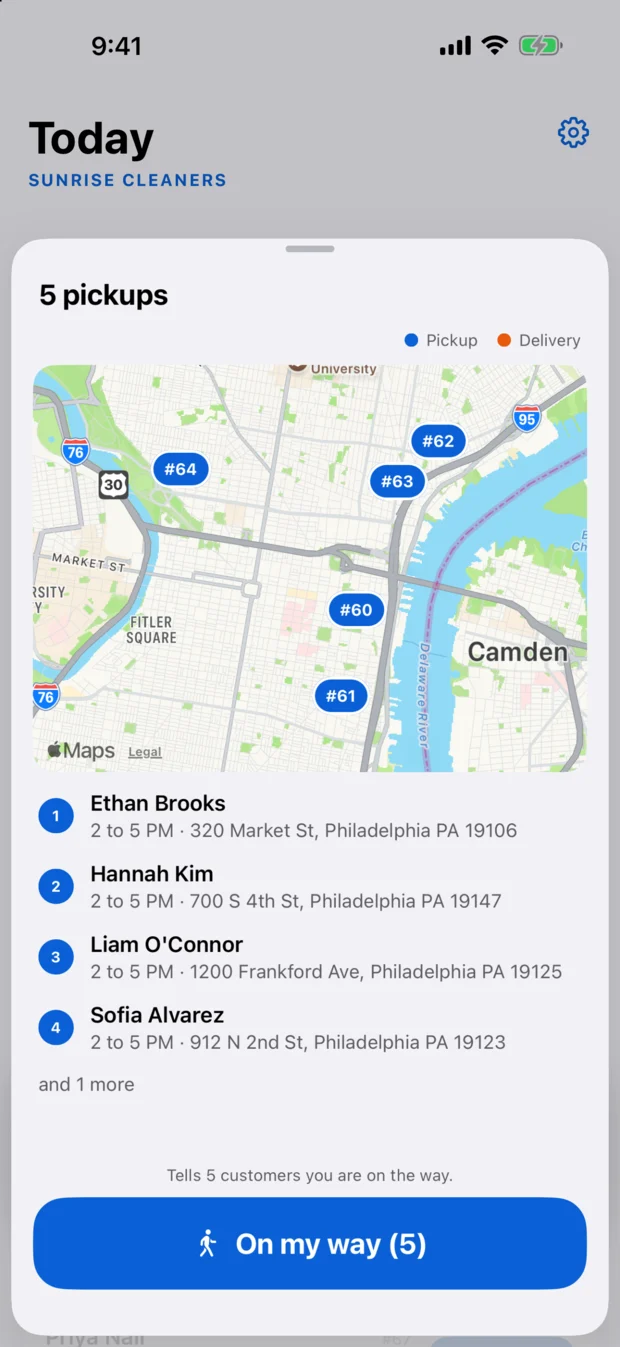
Open the map to see the day's stops, numbered, with each customer's address and window underneath. One tap on On my way lets all of those customers know you're headed out.
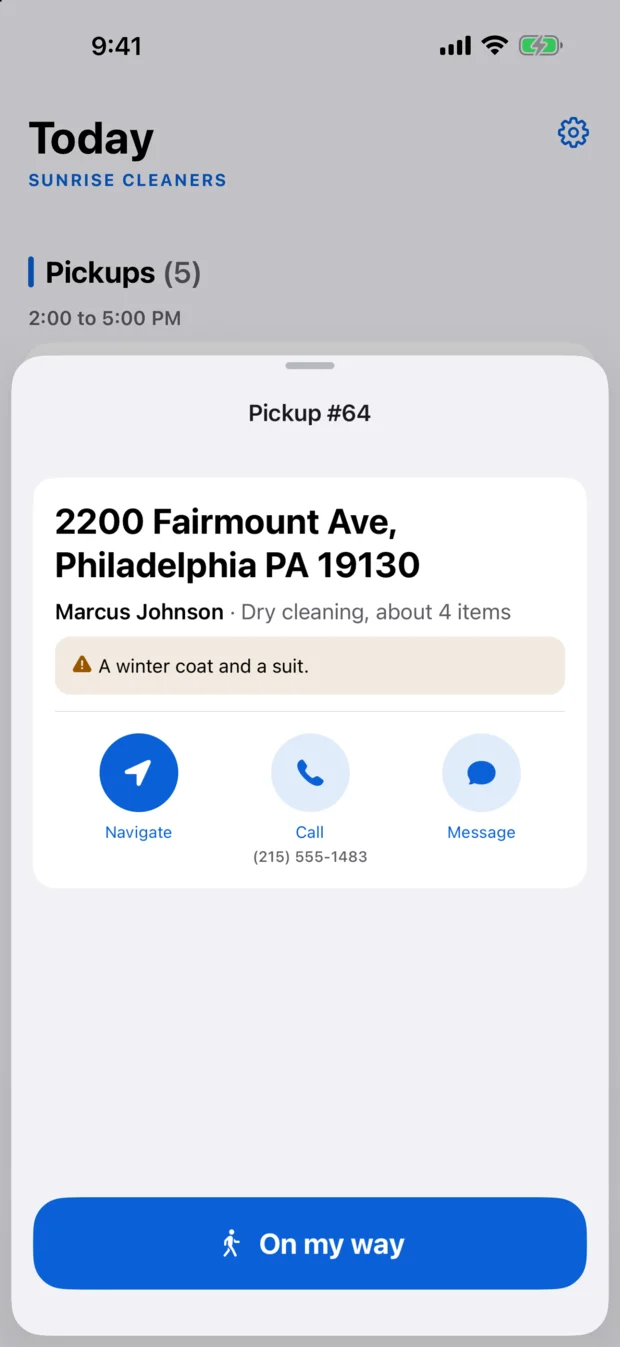
At each stop you see the address and your customer's note, with Navigate, Call and Message right there. Tap On my way and your customer gets a heads-up, then Picked up, or Delivered. That's the whole job.
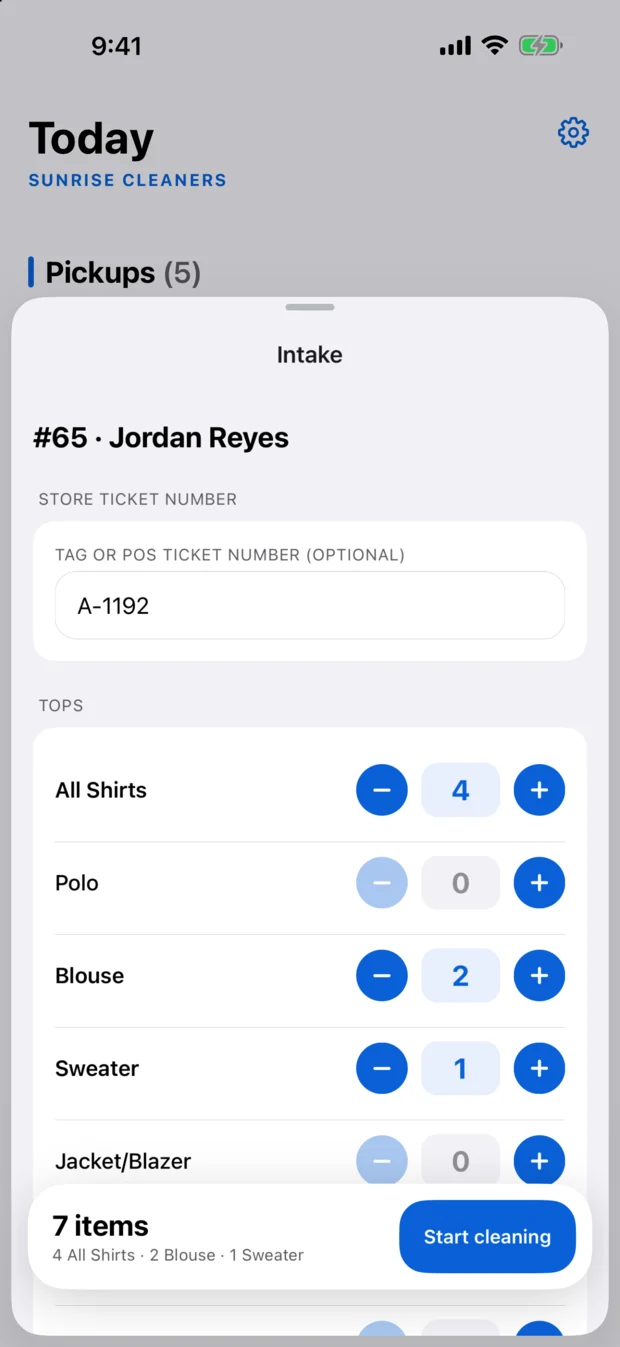
When the order reaches your shop, tap Count items. Tag it with your own ticket number if you like, tally shirts, pants and the rest with a plus and a minus, and tap Start cleaning. Your customer can follow along.
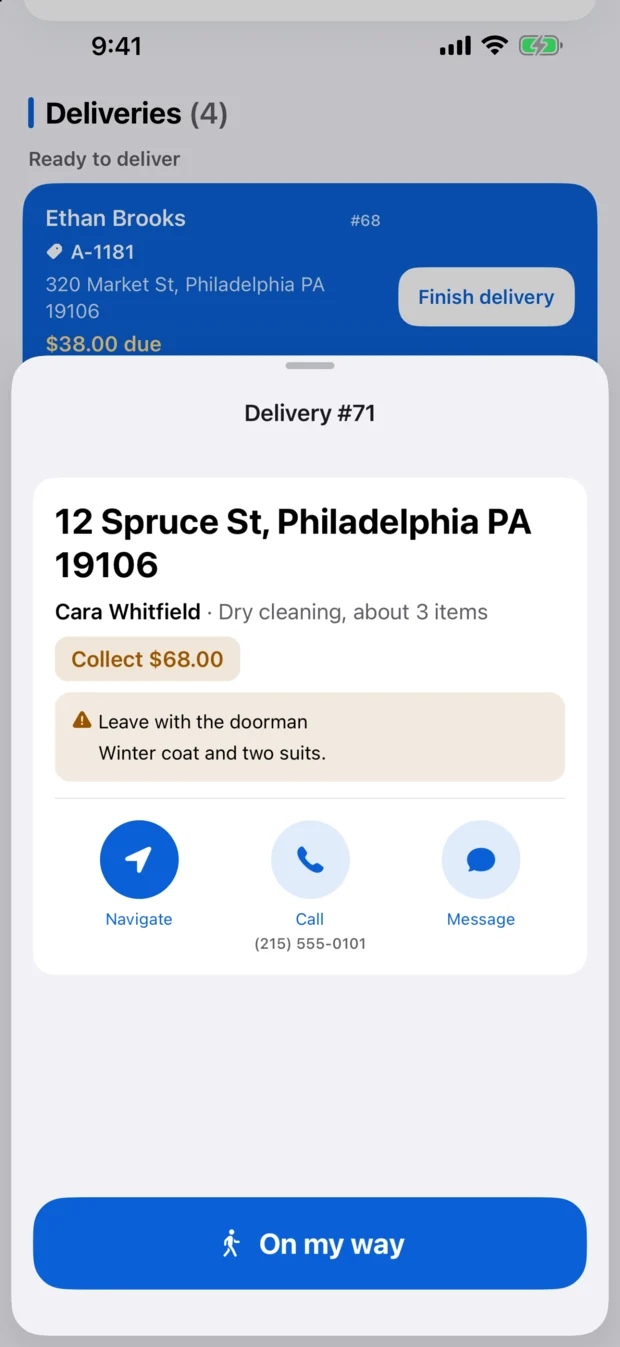
Deliveries show what's due and any note from your customer, like "leave with the doorman." Navigate, Call and Message are right there. Tap On my way, then Delivered.
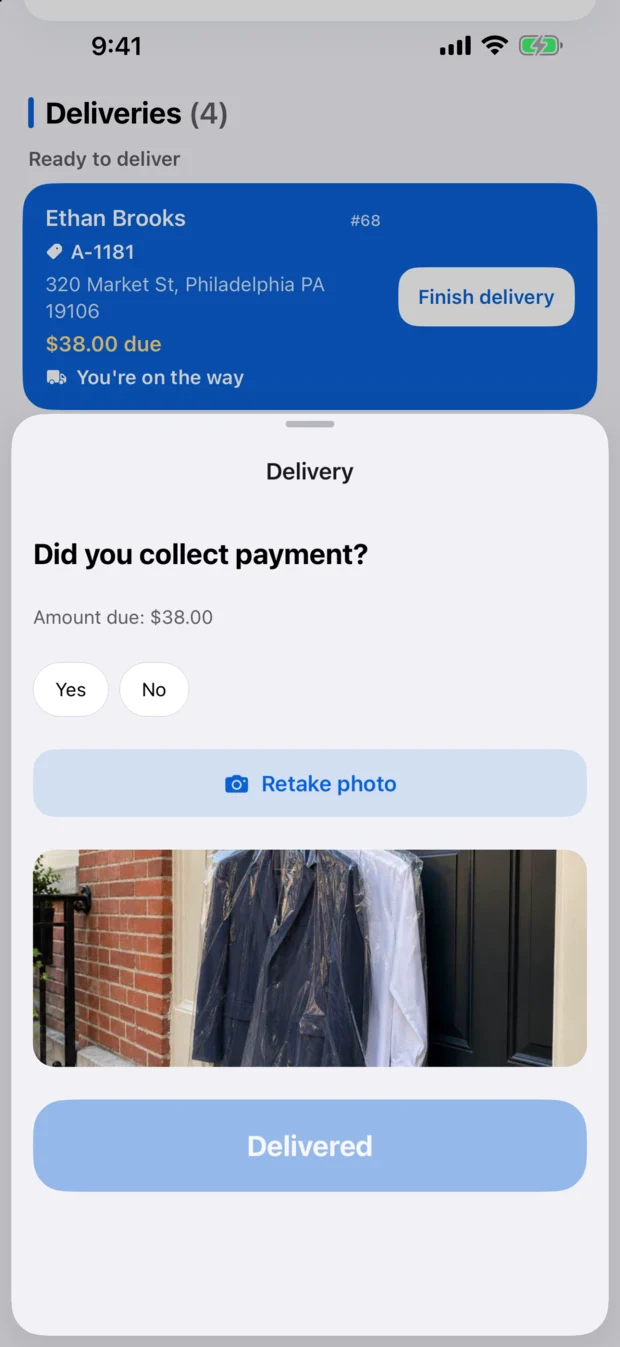
If there's a balance, the app asks, "Did you collect payment?" before it lets you finish, so every payment ends up recorded. Customers who paid in the app are already marked paid. A photo of the order at the door is optional, and one more way to show it arrived.
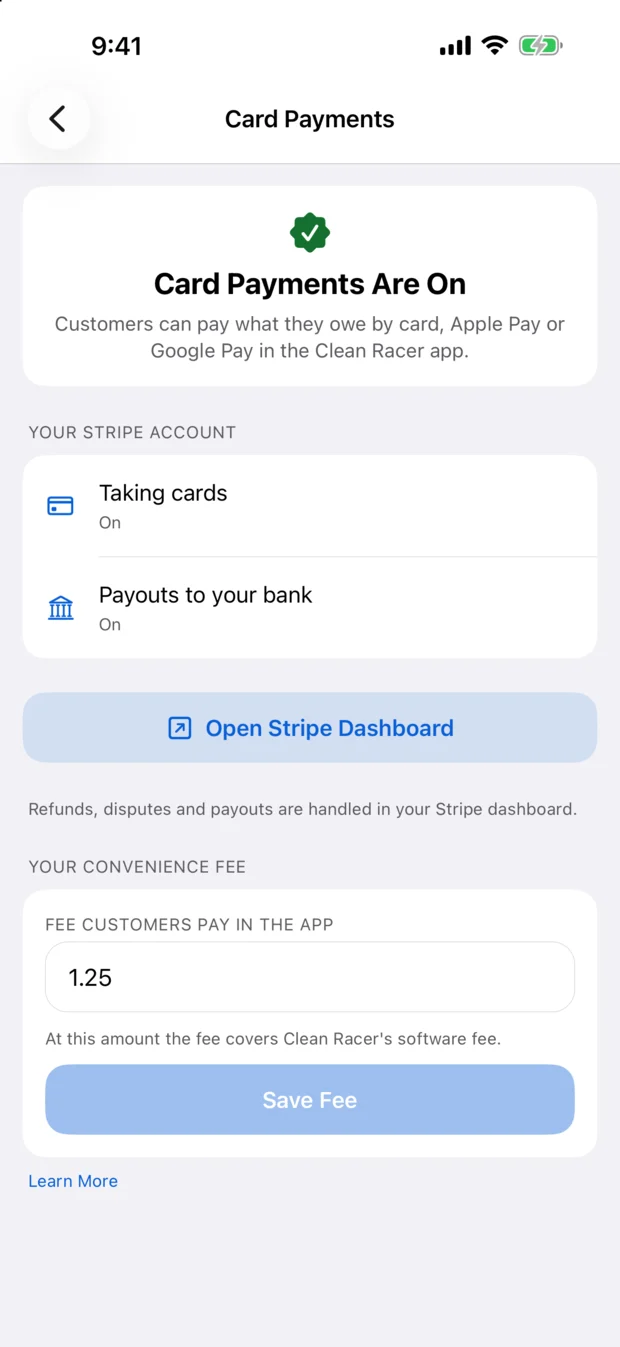
Cash, card at the door, or card in the app, straight into your own Stripe account. Connect your Stripe account in the app to take cards, and set the small convenience fee your customers pay for using them, anywhere from $0 to $3. It's yours to keep. Every payment is recorded.
It runs on the phones you already have.
Customers get a simple heads-up when the driver is on the way. Never a map, never an ETA.
Card payments go straight to your own Stripe account. We never hold it.
CR Business is on Google Play now and coming soon to the App Store. Write to us and we'll walk you through applying.